Nederlands
Anthropic lets users install Claude artifacts as desktop apps
Anyone who builds a small program with Claude can now install it as an app on a Mac or Windows computer. The app gets its own window and icon, and the user decides for each app how much it may do on the computer.
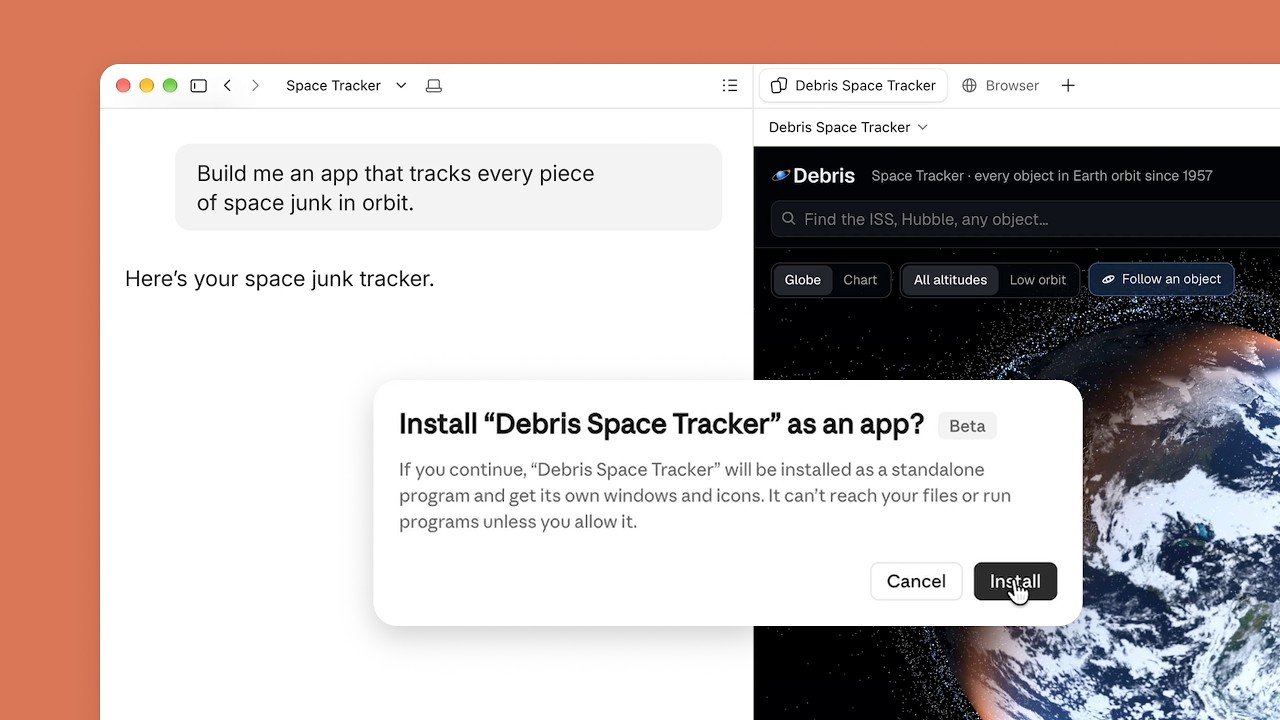
Users of Claude for Mac and Windows can now install an artifact as an app of its own on their computer. An artifact is a small interactive program that Claude makes in the conversation, such as a calculator, a planner or a game. Anthropic, the maker of Claude, released the feature as a test version (beta).
To get an app, the user describes it to Claude and first tries it out as an artifact. Then the user chooses "Install as app" in the share menu. The app opens in its own window, with its own icon, and can also be shared with others. There is no need for packaging or signing, which ordinary software requires. Nor does the user need a separate key or sign-in to use Claude: the app works with the user's own Claude account.
Playing loads YouTube, which may set cookies. More information
The app can use Claude and the services the user has connected to Claude. Requests to Claude count towards the usage limit of the subscription. If the user changes the artifact, the app is updated automatically. An app can also send notifications and place an icon in the Mac menu bar or the Windows system tray.
Anthropic staff made examples themselves, such as Linnet, an image editor with layers, and Sift, which uses Claude to keep files in folders organised.
Three levels of access
By default, an installed app can only do what is also possible in a browser. An app can also ask for extra permissions, such as notifications, keyboard shortcuts that work everywhere, or a window that stays on top of other programs. The highest level is full access to the computer. The app may then start programs and read, change or delete files without asking each time. The user chooses for each app how much it may do.
Only an app the user made themselves can get full access. On the business subscriptions Team and Enterprise, this also applies to apps made by colleagues within the organisation. Anthropic does not check apps before someone installs them. The company therefore advises giving full access only to apps the user trusts. A permission applies to one version: after every update, Claude asks again. If part of an app comes from another website, that part can still change without a new request.
Who can use it
The test version is coming to all subscriptions. On Team the feature is switched on by default, but full access is off. On Enterprise it stays off until an owner switches it on. Administrators decide which permissions apps may get in their organisation. Organisations that use Claude under the strict US rules for medical data (HIPAA) cannot use the feature. Opening an app requires an internet connection and being signed in to Claude. Claude's Docs, Slides and Sheets cannot be installed as apps.
What does this mean for the road to the singularity?
It is already normal for AI to write a small working program. Until now, such a program stayed in the conversation: you had to open Claude to use it. Now it becomes an app next to your other programs. The hard part of making software, packaging and distributing it, falls away. If that trend continues, someone who needs a small tool no longer has to search for an app that does roughly what they want. They describe it and have it a few minutes later, made to measure.
For Anthropic this is attractive. Every installed app runs on the user's Claude account, so people who build their own tools this way stay with Claude. Other AI companies will therefore want to offer something similar. Makers of small stand-alone programs will then have to deliver something a home-made app cannot. The risk lies in the permissions: an app that may delete files and that nobody has checked can do a lot of damage. Permission per version is therefore a sensible brake. In this way software can become something everyone makes themselves, while users stay in charge of their own computers.
What is the technological singularity? Read the explanation →